Everything Beginners Need to Know About HP Printer Cartridges
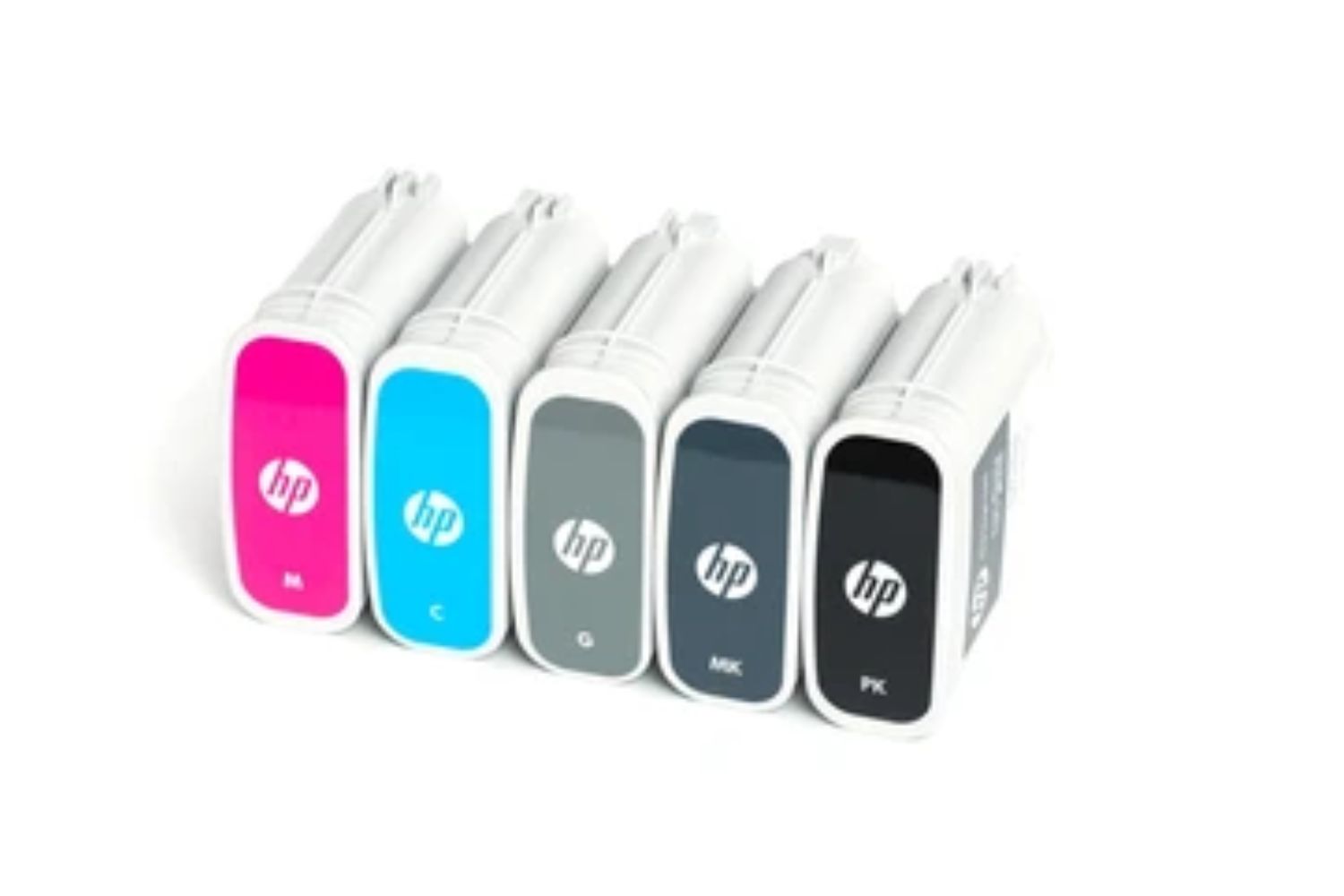
Choosing the right HP printer cartridges isn`t as easy as grabbing the first one you see. Learn how to avoid compatibility problems, understand cartridge types, and make smarter buying decisions.
By admin
·July 26 28
All featured products are selected by our editors and may include affiliate links. If you purchase through these links, we may earn a commission.
How complicated should it be to get an ink cartridge for your printer? All you have to do is go to any shop or any online retailer and just buy the cartridge, right? Then you pop open your printer, switch in the old cartridge with the newly bought one, turn it on, and try printing… Nothing. Either that or the whole page is blue.
If that sounds familiar, then welcome to the world of buying HP printer cartridges. From compatibility issues to mismatching model, not to mention regionlocks tend to confuse (and intimidate) any beginner. So if you’re not a printer freak but rather are in the “I just want my printer to work” crowd, then this guide is for you.
What People Usually Get Wrong When Buying HP Printer Cartridges
The fact of the matter is that buying printer ink cartridges shouldn’t really be this confusing. But when it comes to someone who’s looking to buy printer ink for their homes or workplaces, it usually boils down to three common reasons why they mess up.
Confusing Naming Conventions
This is arguably the main reason you’d get the wrong HP printer cartridges. Some brands like Hewlett-Packard use closely related numbers for each printer model (like HP 61, 62, 63, so on), so the average user might think that it won’t matter much if they use a 62 cartridge on a 63 printer. But that’s not the case. Even if you manage to fit the cartridge, it usually results in poor print quality, or the printer giving error messages or worse, clogged up printer heads.
To avoid this, it’s best to use the exact printer cartridge that matches the model of your printer. How do you know the right model? Check the number on the old cartridge that came with your printer, or in your printer`s manual or on the manufacturer`s website.
Cartridge Sizes
The next issue beginners might run into is the size of each cartridge. Conventionally, the two common sizes used are “Standard” and “XL.” Both are physically the same size, fit into the printer slot easily (provided the model is correct) and run on your printer with no hassle. But there is a key difference between the two: how much ink they hold.
Compared to Standard, XL (High Yield) cartridges contain more ink. Standard ink cartridges print around 200 to 300 pages, whereas XL print more pages (around 500 at times). For beginners, it’s usually best practice to go for Standard sizes since they’re affordable compared to XLs. But if you have to print more pages, then the high-yield printer is a better decision.
Tech Restrictions and Firmware Issues
Even if you buy the correct HP printer cartridge, there`s a chance it won`t work because of your printer`s built-in security features. Most new HP printers use Dynamic Security that checks whether a cartridge has an original HP security chip. As a result, some refilled or third-party cartridges may display an "incompatible cartridge" error.
If you`re buying replacement HP printer cartridges, particularly from third-party retailers, then always check that they`re compatible with your exact printer model and firmware. And if you use HP Instant Ink, remember that your printer only accepts Instant Ink cartridges while your subscription is active.
Weighing the Trade-Offs Between Genuine and Third Party HP Printer Cartridges
Even though this is another common issue that most beginners run into when getting ink cartridges, it’s worth taking a deeper look into it because it’s broader than you might realize. Most beginners would buy 3rd party ink cartridges because:
-
They’re more affordable than cartridges made by the brand itself, plus they work great if you don’t use the printer regularly or only for light office or school work.
-
Compared to genuine ink cartridges, 3rd party cartridges are easily avaiable both in physical and online stores.
-
Some 3rd party cartridges are essentially remanufactured, meaning they use the same plastic parts used in original cartridges. This ensures that old cartridges don’t go to waste and are repurposed.
However, using 3rd party cartridges instead of original cartridges carries a number of risks that can affect both the overall print quality and even your printer itself.
-
Print from 3rd party cartridges is generally of lesser quality compared to original.
-
Non-original ink might take longer to dry, which can lead to fading or smudging.
-
3rd party cartridges might run out of ink quickly and need to be refilled or replaced more frequently.
-
Poorly built cartridges have the risk of leaking ink, which can damage internal parts or clog nozzles.
-
Some printers can tell the difference between genuine and third-party cartridges, and might show error messages or straight up reject 3rd party options.
So while buying third-party printer ink might seem like the more cost-effective solution, it’s better to get genuine HP ink for the long run as they ensure consistent performance, reliability, and high print quality while reducing the above-discussed risks.
Smart Buying Decisions for HP Printer Cartridges
In addition to the common beginner mistakes discussed above, it’s worth sharing three actionable steps you can take to make the buying process simple while ensuring you buy the right ink cartridge for your printer.
Choosing Standard Yield Over XL Cartridges
A lower price tag can make standard HP printer cartridges seem like the better deal, but that`s not always true. While they`re ideal for occasional printing, they hold less ink and need replacing much sooner than XL (high-yield) cartridges.
If you print regularly for work, school, or home, XL cartridges usually offer a lower cost per page and better long-term value. Although they cost more upfront, they print significantly more pages, meaning fewer replacements and better savings over time.
Overlooking Tri-Color Cartridges
Many entry-level HP printers use tri-color cartridges, which combine cyan, magenta, and yellow into a single cartridge. While convenient, there`s one drawback that catches many beginners off guard.
If just one color runs out, you`ll need to replace the entire cartridge even if the other two colors still have ink remaining. If you print color documents often, a printer that uses separate color cartridges can be more economical in the long run.
Paying Too Much for HP Printer Cartridges
One of the easiest ways to overspend is by buying the first cartridge you find. Comparing prices, choosing XL cartridges when appropriate, and shopping with a trusted printer supply retailer can help you save without sacrificing print quality.
Retailers like Tonermacher DE stock both genuine HP printer cartridges and budget-friendly compatible alternatives, along with high-yield XL options for many older and newer HP printers. Their printer model lookup also makes it easier to find the correct cartridge and avoid costly compatibility mistakes.
FAQs
What Should I Check Before I Buy Printer Cartridges?
Always verify your printer model and cartridge number to ensure compatibility.
Can I Use Compatible Ink for Printers and Copiers?
Yes, provided the cartridges are compatible with your specific printer model.
Are XL Printer Cartridges Better Than Standard Cartridges?
XL cartridges print more pages and usually offer a lower cost per page.
How Can I Save Money When Buying HP Printer Cartridges?
Compare prices, consider XL cartridges, and buy from a reputable printer supply retailer.
Do All HP Printers Use the Same Ink Cartridges?
No, each HP printer model is designed to work with specific cartridge numbers.
Buying the right HP printer cartridges doesn`t have to be complicated. By checking your printer`s cartridge number, understanding the difference between Standard and XL cartridges, and knowing how compatibility and firmware restrictions work, you can avoid costly mistakes and get reliable print quality every time. Explore Tonermacher DE to find the right HP printer cartridges for your printer at competitive prices.
For more actionable advice on printers and other technologies, keep following ActivatedCoupons.
Comment:
Your email address will not be published. Required fields are marked *







Recent Blogs
-
How Ceretone OTC Hearing Aids Can Help You Hear Better?
-
WonderFold W1 Stroller Wagon Review: Is It Ideal for Busy Parents?
-
Most Popular Patio Shades at Aosom Canada
-
Transform Your Room With Chita Beds
-
Men’s Quality Socks By Bombass
-
Magnetic Phone Holder Review: Is It Design for Better Convenience
-
FRRK Chastity Cage Guide: Styles, Materials & Sizing